
If League of Legends is restricted by Riot Account parental controls, you may be unable to access certain game features or manage your account freely. Whether you’re a parent removing restrictions or a player who has reached the appropriate age, disabling parental controls is a straightforward process when you have access to the parent-managed Riot Account.
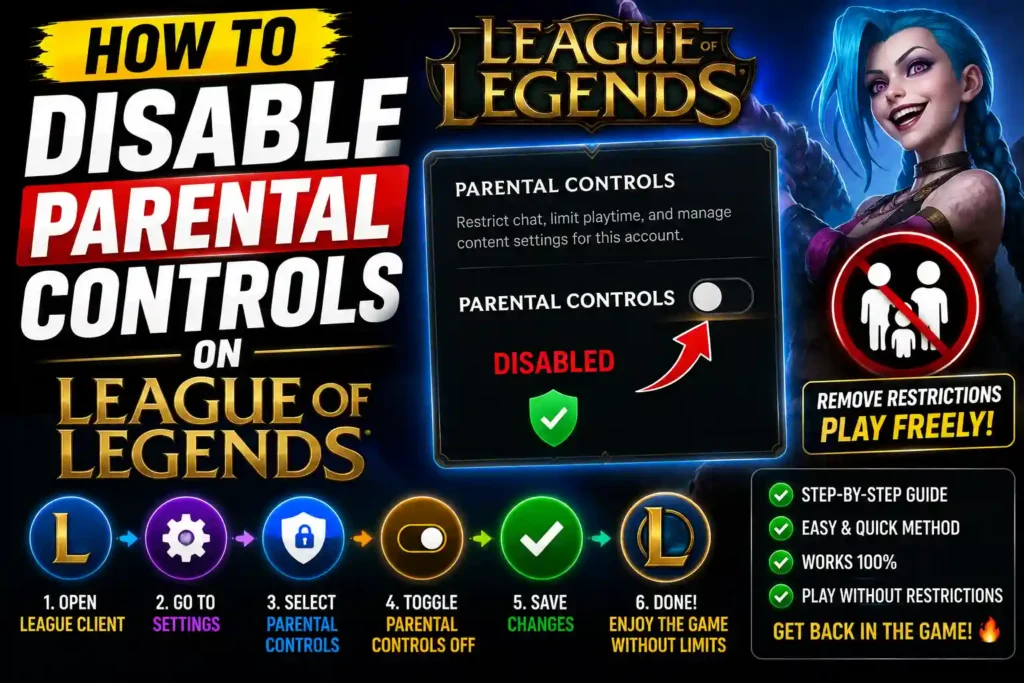
This guide explains exactly how to remove Riot Account parental controls, what requirements you must meet, common issues that may prevent changes, and best practices to keep your account secure afterward.
Quick Answer (Featured Snippet)
To disable parental controls on League of Legends:
- Sign in to your Riot Account.
- Open your Riot Account settings.
- Go to the Parental Controls section.
- Verify the parent or guardian account if prompted.
- Turn off or remove the parental restrictions.
- Save the changes.
- Restart the Riot Client and launch League of Legends.
If you don’t have access to the parent account, you’ll need the parent or guardian to remove the restrictions or contact Riot Support if appropriate.
Table of Contents
- What Are Riot Account Parental Controls?
- Why You May Want to Disable Them
- Requirements Before You Begin
- How to Disable Parental Controls on League of Legends
- What Happens After Disabling Restrictions?
- Common Problems and Solutions
- Best Practices
- Important Caution
- Frequently Asked Questions
- Conclusion
What Are Riot Account Parental Controls?
Riot Games offers parental controls to help parents manage younger players’ gaming experience. These controls are managed through the Riot Account rather than inside League of Legends itself.
Depending on the settings, parental controls may limit:
- Account management
- Purchase permissions
- Communication features
- Playtime management
- Privacy settings
- Certain online interactions
Only the parent or guardian who enabled these controls can generally remove or modify them.
Why You May Want to Disable Them
There are several legitimate reasons to remove parental restrictions.
For example:
- The player has become an adult.
- The restrictions are no longer needed.
- Parents want to restore full account access.
- Playtime limits are no longer required.
- Purchase restrictions are unnecessary.
If the account still belongs to a minor, parents should carefully consider whether removing protections is appropriate.
Requirements Before You Begin
Before attempting to disable parental controls, make sure you have:
- Access to the Riot Account
- Parent or guardian login credentials (if required)
- Access to the registered email address
- Internet connection
- Latest Riot Client installed
Without access to the parent-managed account, Riot may require identity verification before making changes.
Step-by-Step Guide: How to Disable Parental Controls on League of Legends
Step 1: Sign in to Your Riot Account
Open your preferred web browser and sign in using the Riot Account associated with League of Legends.
Use the account that currently has parental controls enabled.
Step 2: Open Account Settings
After signing in:
- Go to Account Settings
- Locate Parental Controls
- Open the parental management page
This section contains all active restrictions associated with the account.
Step 3: Verify Parent or Guardian Access
For security reasons, Riot may ask for:
- Parent account password
- Email verification
- Two-factor authentication
- Identity confirmation
Complete any requested verification before proceeding.
Step 4: Disable Restrictions
Once verification is complete:
- Locate the parental control toggle.
- Disable all active restrictions.
- Review each permission carefully.
- Save the updated settings.
Some accounts may allow individual restrictions to be disabled instead of removing everything.
Step 5: Restart Riot Client
Close:
- Riot Client
- League of Legends
Restart both applications to ensure the updated account settings are applied.
Step 6: Verify the Changes
Launch League of Legends.
Check that previously restricted features are now accessible.
Examples include:
- Account management
- Purchases
- Social features
- Communication options
What Happens After Disabling Parental Controls?
Once removed, the account generally regains normal access.
You may be able to:
- Purchase Riot Points
- Change account settings
- Use unrestricted chat features
- Access social functions
- Manage your profile normally
The exact permissions depend on Riot’s current account policies.
Common Errors and Fixes
1. Parent Verification Failed
Cause
Incorrect credentials or verification issues.
Fix
- Reset the parent account password.
- Verify the registered email.
- Complete two-factor authentication.
2. No Parental Controls Option Appears
Cause
The account may not have parental controls enabled.
Fix
Check that you’re signed into the correct Riot Account.
3. Changes Don’t Apply
Cause
The Riot Client may still be using cached settings.
Fix
- Restart the client.
- Sign out completely.
- Log back in.
4. Forgot Parent Email
Cause
The parent account information is unavailable.
Fix
Contact Riot Support and provide account ownership information if requested.
5. Account Still Restricted
Cause
Additional account protections may still be active.
Fix
Review every parental setting individually and verify all restrictions have been disabled.
Best Practices / Pro Tips
Follow these recommendations after removing parental controls:
- Enable two-factor authentication.
- Use a strong, unique password.
- Keep your recovery email updated.
- Review account security regularly.
- Avoid sharing login credentials.
- Monitor account activity periodically.
Keeping your Riot Account secure is just as important as removing unnecessary restrictions.
Important Caution
Caution: Only disable parental controls if you are the parent, legal guardian, or the authorized account owner. Removing these restrictions may expose younger players to unrestricted communication, in-game purchases, and online interactions. If the account belongs to a minor, carefully review the risks before disabling any protections.
Additional Troubleshooting Resources
If you’re interested in solving other technology problems, these guides may also help:
- How to Fix My Left AirPods Not Working
https://multicaretechnical.com/how-to-fix-my-left-airpods-not-working-2026-complete-troubleshooting-guide - How to Fix YouTube Not Working on My TV
https://multicaretechnical.com/how-to-fix-youtube-not-working-on-my-tv-2026-complete-troubleshooting-guide - How to Fix Cellular Data Not Working on iPhone
https://multicaretechnical.com/how-to-fix-cellular-data-not-working-on-iphone-2026-complete-troubleshooting-guide
Frequently Asked Questions
1. Can I disable parental controls without the parent account?
Generally, no. Riot usually requires access to the parent or guardian account that enabled the restrictions.
2. Will disabling parental controls delete my League of Legends progress?
No. Your champions, skins, ranks, and account progress remain unchanged.
3. Can parental controls be enabled again later?
Yes. Parents can usually re-enable supported restrictions through the Riot Account settings if needed.
4. Why can’t I find the parental controls option?
The account may not have parental controls enabled, or you’re signed into a different Riot Account.
5. Do I need to reinstall League of Legends?
No. Simply restarting the Riot Client is usually enough after changing account settings.
Conclusion
Disabling parental controls on League of Legends is a simple process when you have access to the parent-managed Riot Account. After signing in, verify the parent account if required, turn off the restrictions, save your changes, and restart the Riot Client.
If you cannot access the parent account or encounter verification issues, the safest approach is to work with the account owner or contact Riot Support for assistance. Following the steps in this guide will help you restore normal account access while keeping your Riot Account secure.