
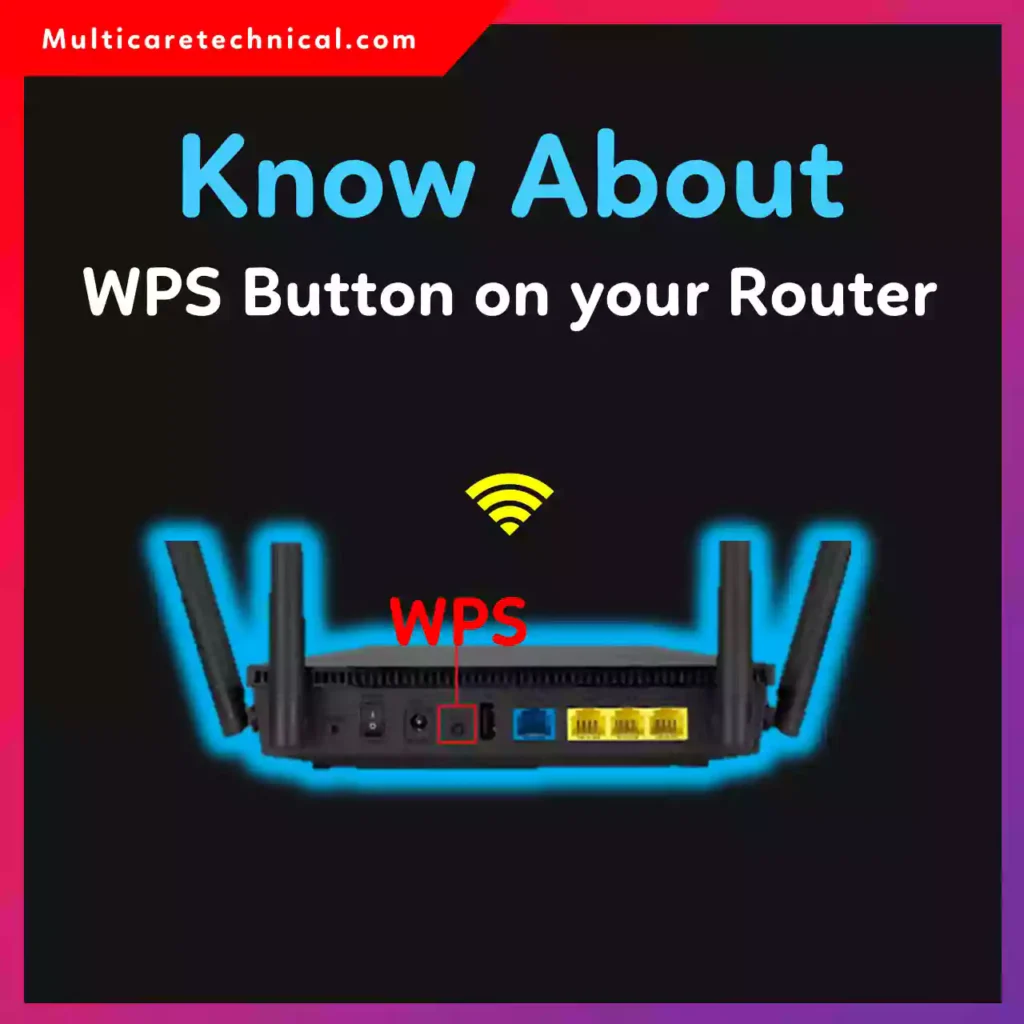
Ever noticed a small button on the back of your Wi-Fi router labeled WPS and wondered what it does?
If you’re asking, “What is the WPS button on my router?”, you’re in the right place. This guide explains what it means, how it works, how to connect without typing a password, and whether it’s safe to use in 2026.
Let’s break it down 👇
📌 Quick Answer (Featured Snippet Ready)
What is the WPS button on a router?
WPS stands for Wi-Fi Protected Setup. It’s a hardware button on your router that lets you connect devices to Wi-Fi without entering a password.
To use it:
- Press the WPS button on your router.
- Within 2 minutes, select the Wi-Fi network on your device.
- The device connects automatically.
What Does WPS Actually Do?
WPS (Wi-Fi Protected Setup) creates a temporary secure handshake between your router and device.
Instead of typing a long Wi-Fi password, the router:
- Opens a short authentication window (usually 2 minutes)
- Accepts new devices automatically
- Grants network access securely
👉 Important:
This is not an operating system feature.
It is a hardware + router firmware feature, built into your Wi-Fi router.
That means:
- It doesn’t matter if you use Windows, Mac, Android, or Linux.
- The function depends on your router’s firmware — not your OS.
Where Is the WPS Button Located?
Usually:
- On the back of the router
- Sometimes on the side
- Labeled “WPS”
- May also say “WPS/Reset”
On some modern routers, WPS is enabled through the router’s web interface instead of a physical button.
How to Connect WiFi Without Password Using WPS
🖥️ On Windows
- Press the WPS button on the router.
- Click the Wi-Fi icon on your PC.
- Select your network.
- Click Connect.
- Windows connects automatically without asking for password.
📱 How to Connect to WiFi Without Password Using WPS on Android
Most Android devices support WPS (older versions especially).
Steps:
- Press WPS button on router.
- Go to Settings → Network & Internet → Wi-Fi.
- Tap the three dots.
- Select WPS Push Button.
- Phone connects automatically.
⚠️ Note: Many newer Android versions removed visible WPS options for security reasons.
📱 How to Connect to WiFi Without Password Using WPS on iPhone
Apple does not support WPS push-button connection on iPhone.
On Apple devices:
- There is no WPS option in Wi-Fi settings.
- You must manually enter the password.
- Or use Wi-Fi sharing from another Apple device.
💻 How to Connect to WiFi Without Password Using WPS on Mac
macOS does not directly support push-button WPS either.
On a Mac:
- You must log into the router admin panel.
- Or manually enter the password.
- Some routers allow WPS PIN method via web dashboard.
Is WPS Safe?
WPS Push Button method is generally safe.
However:
- The WPS PIN method has known security vulnerabilities.
- Many cybersecurity experts recommend disabling WPS if not needed.
If you’re managing router settings and system configuration, you may also find this helpful:
👉 https://multicaretechnical.com/how-to-change-default-browser-on-mac-monterey-catalina-sequoia
And if you’re organizing Excel sheets for network logs or device tracking:
👉 https://multicaretechnical.com/how-to-move-columns-in-excel-without-breaking-your-data
WPS vs Password — Which Is Better?
| Feature | WPS | Manual Password |
|---|---|---|
| Speed | Faster | Slower |
| Security | Moderate | Stronger |
| Ease | Very easy | Requires typing |
| Device Support | Limited on iPhone/Mac | Universal |
Common Problems with WPS
- WPS button not responding
- Router firmware outdated
- WPS disabled in router settings
- Device too far from router
Remember:
If WPS doesn’t work, it’s usually a router firmware issue, not an operating system problem.
Related Tech Help
If you’re troubleshooting Windows features, check:
👉 https://multicaretechnical.com/where-is-the-recycle-bin-in-windows-11-exact-location-file-path-guide
❓ FAQ (Optimized for AI Overviews & Snippets)
What is the WPS button on my router?
The WPS button allows devices to connect to Wi-Fi without typing a password by creating a temporary secure connection.
How to connect WiFi without password using WPS?
Press the WPS button on your router, then select the network on your device within 2 minutes. It connects automatically.
How to connect to WiFi without password using WPS on iPhone?
iPhones do not support WPS push-button connection. You must enter the password manually.
How to connect to WiFi without password using WPS on Android?
Press the router’s WPS button, then enable WPS Push Button from Wi-Fi advanced settings (if available).
Is WPS safe to use?
The push-button method is relatively safe, but the PIN method has known vulnerabilities. Many users disable WPS for better security.
🏁 Final Thoughts
The WPS button on your router is a quick way to connect devices without typing a password. It’s a router hardware and firmware feature, not an OS function.
While it’s convenient, it’s not supported on all devices — especially iPhone and Mac.
If you value maximum security, using a strong Wi-Fi password is still the best method in 2026.