
Want to rename your iPhone from “iPhone” to something more personal like “Ali’s iPhone 15 Pro”? You’re in the right place.
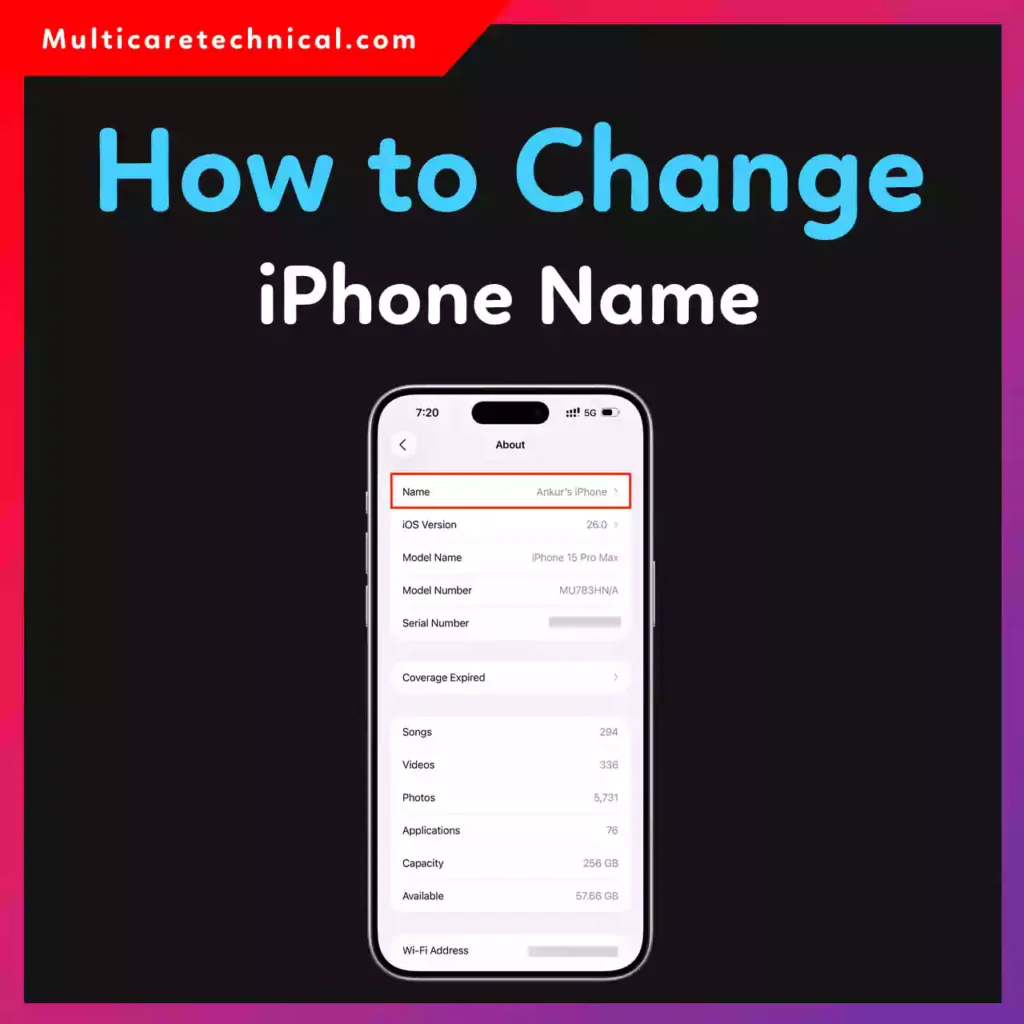
In this simple step-by-step guide, I’ll show you how to change iPhone name in Settings, and how that name affects Hotspot, AirDrop, Bluetooth, Apple ID, and device info.
This works on the latest iOS versions and takes less than 30 seconds.
📱 What Does Changing Your iPhone Name Actually Do?
When you rename your iPhone, that name appears in:
- Personal Hotspot connections
- AirDrop sharing
- Bluetooth device lists
- Finder / iTunes on Mac or PC
- Device info inside your Apple ID
It does not change your Apple ID name — only your device name.
✅ How to Change iPhone Name in Settings (Main Method)
This is the official and easiest way.
Step-by-Step:
- Open Settings
- Tap General
- Tap About
- Tap Name
- Delete the old name
- Enter your new iPhone name
- Tap Done
That’s it. Your iPhone name updates instantly across all connected services.
This method covers:
- how to change iphone name in settings
- how to change iphone name in device info
🔥 How to Change iPhone Name for Hotspot
Your iPhone hotspot uses your device name.
So if someone sees “John’s iPhone” in Wi-Fi networks, that’s your device name.
To change iPhone name for hotspot:
- Follow the same steps: Settings → General → About → Name
- Enter a new name
- Done
Now your hotspot network name will update automatically.
This solves:
how to change iphone name for hotspot
📤 How to Change iPhone Name for AirDrop
AirDrop shows your device name when sharing files between Apple devices like iPhone, MacBook, or iPad.
To change iPhone name for AirDrop:
- Go to Settings → General → About → Name
- Edit the name
Your AirDrop display name updates immediately.
🔵 How to Change iPhone Name in Bluetooth
When connecting to:
- Car stereo
- Wireless speakers
- Headphones
Your Bluetooth device shows your iPhone name.
To change iPhone name in Bluetooth:
- Use the same Settings → General → About → Name method
- Turn Bluetooth off and on again if needed
The new name will appear in nearby Bluetooth searches.
🍎 How to Change iPhone Name in Apple ID
Important clarification:
Changing your iPhone name does NOT change your Apple ID name.
However, your device name will update inside:
Settings → Tap your Apple ID → Devices
If you want to change your Apple ID profile name:
- Go to Settings
- Tap your Apple ID
- Tap Name, Phone Numbers, Email
- Edit your name
🔒 How to Change iPhone Name on Lock Screen
By default, iPhone does not show the device name on the lock screen.
If you’re trying to customize lock screen appearance, check this helpful guide:
👉 https://multicaretechnical.com/how-to-find-drafts-on-instagram-story-post-reels-android-iphone-computer
You can also explore personalization settings like wallpapers here:
👉 https://multicaretechnical.com/how-to-turn-off-search-party-on-ring-step-by-step-guide-for-2026
And if you’re managing YouTube account details:
👉 https://multicaretechnical.com/how-to-find-youtube-channel-id-on-mobile-step-by-step-guide-for-iphone-android
🧠 Quick Answer (Featured Snippet Optimized)
To change your iPhone name:
- Open Settings
- Tap General
- Tap About
- Tap Name
- Enter new name
- Tap Done
This updates your iPhone name for Hotspot, AirDrop, Bluetooth, and device info instantly.
💡 Pro Tips
- Avoid special symbols for better compatibility
- Keep the name short for Bluetooth devices
- Restart device if name doesn’t update immediately
- Use something identifiable like “Ali iPhone 15”
❓ FAQs (Short Answers for AI Overviews)
How to change iPhone name for hotspot?
Go to Settings → General → About → Name and update it. Your hotspot name changes automatically.
How to change iPhone name in settings?
Open Settings → General → About → Tap Name → Enter new name → Done.
How to change iPhone name for AirDrop?
Change the device name in Settings → General → About. AirDrop updates instantly.
How to change iPhone name in Bluetooth?
Rename your iPhone in Settings → General → About. Reconnect Bluetooth if needed.
Does changing iPhone name affect Apple ID?
No. It only changes the device name, not your Apple ID account name.
🏁 Final Thoughts
Now you know exactly how to change iPhone name for hotspot, AirDrop, Bluetooth, and device info in under a minute.
It’s one of the easiest customization settings on your iPhone — but many users don’t know where to find it.
If this guide helped, bookmark it for future reference.