
Introduction
Cash App has become one of the most popular peer-to-peer payment platforms in the United States. Millions of users rely on it to send money, receive payments, pay bills, and manage finances from their smartphones.
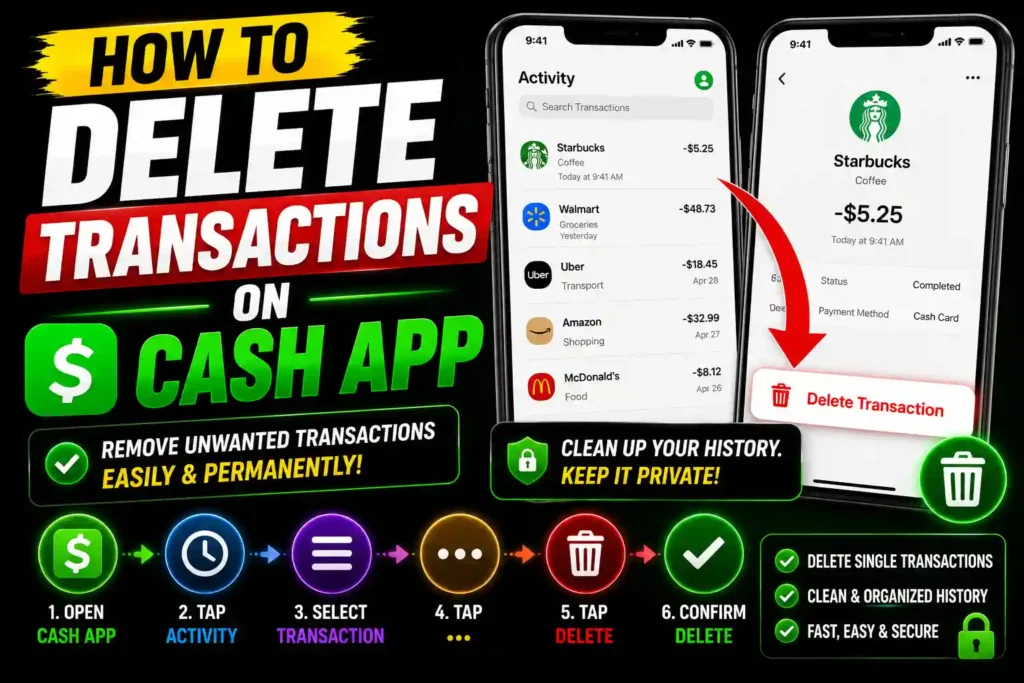
However, many users eventually ask the same question: Can you delete transactions on Cash App?
Whether you’re trying to remove old payment records, protect your privacy, organize your account, or simply clean up your transaction history, understanding what Cash App allows—and doesn’t allow—is important.
In this guide, you’ll learn exactly how Cash App transaction history works, whether transactions can be deleted, alternative privacy options, common issues, and best practices for managing your account securely.
Quick Answer
No, Cash App does not allow users to delete individual transactions or payment history. All completed transactions remain permanently recorded within your account for security, compliance, and financial record-keeping purposes.
However, you can:
- Hide your account activity from others
- Delete your Cash App account entirely
- Download transaction records
- Increase privacy through account settings
- Remove linked bank accounts or cards
If your goal is privacy, there are several alternative methods available, which are explained below.
Table of Contents
- What Is Cash App Transaction History?
- Can You Delete Transactions on Cash App?
- Why Cash App Doesn’t Allow Transaction Deletion
- How to View Transaction History
- How to Increase Privacy on Cash App
- How to Delete Your Cash App Account
- Step-by-Step Guide
- Common Errors and Fixes
- Best Practices and Pro Tips
- FAQs
- Conclusion
What Is Cash App Transaction History?
Transaction history is a record of every financial activity performed through Cash App.
This includes:
- Money sent
- Money received
- Cash App Card purchases
- Bitcoin transactions
- Direct deposits
- Bank transfers
- Refunds
- Cash App Pay purchases
Cash App stores these records to maintain account security and comply with financial regulations.
Can You Delete Transactions on Cash App?
The short answer is no.
Cash App does not provide a feature that allows users to delete:
- Individual payments
- Completed transfers
- Purchase records
- Deposit records
- Refund history
Every completed transaction remains associated with the account.
This policy helps:
- Prevent fraud
- Maintain accurate financial records
- Support dispute investigations
- Meet banking compliance requirements
- Protect users from unauthorized account manipulation
Why Cash App Doesn’t Allow Transaction Deletion
Many financial applications follow similar practices.
Payment platforms must maintain records for:
Security
Transaction logs help identify suspicious activity and unauthorized payments.
Legal Compliance
Financial institutions must retain transaction information for regulatory purposes.
Dispute Resolution
If a payment issue occurs, transaction history helps support investigations.
Tax Reporting
Certain transactions may be required for tax documentation and reporting.
For these reasons, Cash App prevents manual deletion of payment records.
How to View Transaction History
If you need to review past transactions, follow these steps:
On Mobile App
- Open Cash App.
- Log in to your account.
- Tap the Activity icon.
- Browse your transaction list.
- Select any transaction for additional details.
On Desktop
- Visit the Cash App website.
- Sign in to your account.
- Access Activity or Statements.
- Review payment records and account history.
This allows users to monitor spending and verify payments.
How to Increase Privacy on Cash App
Since transactions cannot be deleted, many users seek alternative privacy options.
1. Change Your Display Name
You can modify your profile name and Cashtag.
Steps:
- Open Cash App.
- Go to Profile Settings.
- Update your display information.
- Save changes.
2. Adjust Privacy Settings
Review privacy controls to limit information sharing.
3. Secure Your Account
Enable:
- PIN protection
- Face ID
- Fingerprint authentication
- Two-factor authentication
4. Remove Linked Accounts
Delete old debit cards and bank accounts you no longer use.
How to Delete Your Cash App Account
Deleting your Cash App account is the only way to remove access to your transaction history.
Keep in mind:
- History remains retained by Cash App for legal purposes.
- You lose access to account features.
- Remaining balances must be withdrawn first.
Requirements Before Closing
Make sure to:
- Withdraw all funds
- Sell Bitcoin holdings
- Cash out investments
- Cancel recurring payments
Step-by-Step Guide: Close Your Cash App Account
Step 1: Open Cash App
Launch the application and sign in.
Step 2: Go to Profile
Tap your profile icon.
Step 3: Open Support
Select Support from the menu.
Step 4: Choose Account Settings
Navigate to account management options.
Step 5: Select Close Account
Choose the account closure option.
Step 6: Confirm
Follow the prompts and verify your request.
Step 7: Receive Confirmation
Cash App will notify you once the account has been successfully closed.
Common Errors and Fixes
Error: Cannot Find Delete Transaction Option
Cause: Cash App does not offer transaction deletion.
Fix: Use privacy settings or account closure instead.
Error: Unable to Close Account
Cause: Remaining balance exists.
Fix: Withdraw funds before attempting account closure.
Error: Bitcoin Holdings Prevent Closure
Cause: Cryptocurrency assets remain in the account.
Fix: Sell or transfer Bitcoin first.
Error: Pending Transactions
Cause: Active transfers are still processing.
Fix: Wait until all transactions complete.
Error: Verification Problems
Cause: Identity verification is incomplete.
Fix: Update account information and complete verification.
Best Practices and Pro Tips
Keep Transaction Records
Financial records can help with:
- Budgeting
- Tax preparation
- Expense tracking
- Business accounting
Review Activity Regularly
Monitor your account for unauthorized transactions.
Use Strong Security Settings
Enable every available security feature.
Download Statements
Save records periodically for personal reference.
Avoid Sharing Sensitive Information
Never share:
- Login credentials
- Verification codes
- Security PINs
Additional Resources
While managing your online finances and digital accounts, you may also be interested in reading:
- https://multicaretechnical.com/zula-casino-fastpaced-slot-thrills-daily-rewards
- https://multicaretechnical.com/book-of-dead-game-rapidfire-slots-voor-de-avontuur
- https://multicaretechnical.com/westcasino-online-casino-schnelle-gewinne-hochinte
These resources provide additional information about online platforms and digital services.
FAQs
1. Can I delete individual transactions on Cash App?
No. Cash App does not allow deletion of individual payment records or transaction history.
2. Can I clear my Cash App activity feed?
No. Activity history cannot be manually cleared or erased.
3. Does deleting Cash App remove transaction history?
Deleting your account removes access to the history, but Cash App may still retain records for legal and compliance purposes.
4. Can other people see my Cash App transactions?
Generally, only authorized users can view transaction details. Privacy settings help control visibility.
5. How can I make my Cash App account more private?
Use security features, update privacy settings, remove unused linked accounts, and protect access with PIN or biometric authentication.
Conclusion
If you’re searching for how to delete transactions on Cash App, it’s important to know that Cash App does not allow users to delete individual transactions or payment history. The platform retains financial records for security, compliance, fraud prevention, and dispute resolution purposes.
Although transaction deletion isn’t possible, you can still improve your privacy by adjusting account settings, securing your profile, removing unused payment methods, and closing your account if necessary.
The best approach is to regularly monitor your account activity, maintain strong security practices, and keep transaction records organized for future reference.