
Is your internet suddenly slow, buffering, or dropping connections? 📶
The problem might not be your plan — it could be WiFi interference. Learning how to change WiFi channel can instantly improve speed and stability.
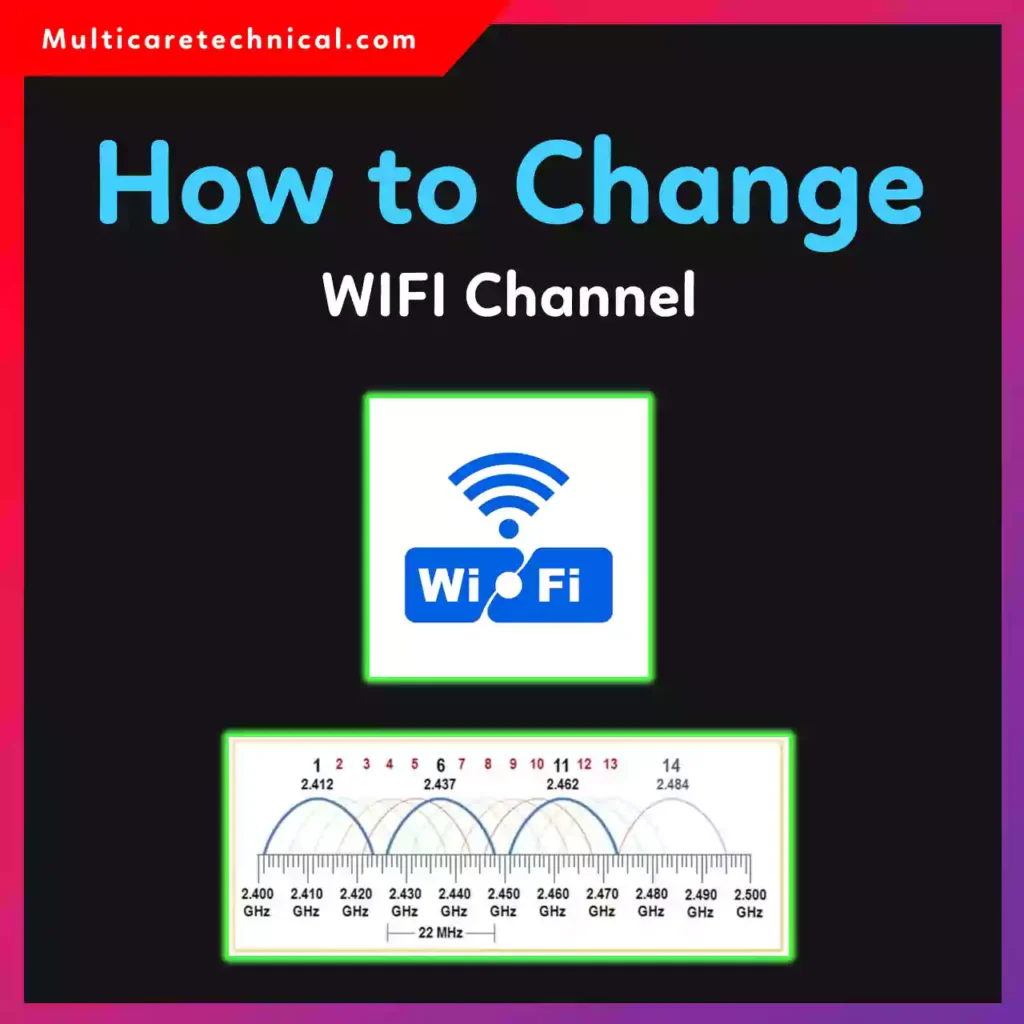
In this step-by-step 2026 guide, you’ll learn how to change WiFi channel on router, including Jio, Airtel, Xfinity, Spectrum, Eero, and more.
✅ Quick Answer (Featured Snippet Optimized)
To change WiFi channel on router:
- Open browser
- Enter router IP (usually 192.168.1.1 or 192.168.0.1)
- Login to router admin panel
- Go to Wireless Settings
- Find Channel option
- Select a different channel (1, 6, or 11 for 2.4GHz)
- Save & restart router
Changing the channel reduces interference and improves performance.
What Is a WiFi Channel?
WiFi routers broadcast signals over channels. If too many nearby networks use the same channel, you experience:
- Slow internet
- Lag in gaming
- Video buffering
- Frequent disconnections
Switching to a less crowded channel solves this problem.
Most routers operate on:
- 2.4 GHz band (Channels 1–11 in US)
- 5 GHz band (More channels, less interference)
How to Change WiFi Channel on Router (Universal Method)
This works for almost all routers.
- Connect to WiFi
- Open browser
- Type router IP (192.168.1.1 or printed on router)
- Enter admin username & password
- Go to Wireless Settings
- Find Channel
- Choose new channel
- Save changes
🔹 For 2.4GHz, use Channel 1, 6, or 11 (best non-overlapping channels).
How to Change WiFi Channel in Jio Router
If you’re searching how to change WiFi channel in Jio router:
- Open browser
- Type 192.168.29.1
- Login using router credentials
- Go to Network → WiFi Settings
- Change channel manually
- Save & reboot
How to Change WiFi Channel in Jio Fiber
For users asking how to change WiFi channel in Jio Fibe (JioFiber):
- Login to JioFiber router panel
- Go to Advanced → Wireless
- Disable Auto Channel
- Select manual channel
- Apply settings
If you’re using Jio’s locked firmware, channel settings may be restricted.
How to Change WiFi Channel in Airtel
Steps for how to change WiFi channel in Airtel:
- Open 192.168.1.1
- Login to Airtel router
- Wireless → Advanced Settings
- Change Channel
- Save
Some Airtel routers auto-optimize channels, so manual change may be disabled.
How to Change WiFi Channel Xfinity
For how to change WiFi channel Xfinity users:
If using xFi Gateway:
- Login via Xfinity app
- Go to Advanced WiFi Settings
- Select channel manually (if available)
Some Xfinity routers automatically manage channels and don’t allow manual selection.
How to Change WiFi Channel Spectrum
For how to change WiFi channel Spectrum:
- Open Spectrum router admin panel
- Navigate to Wireless Settings
- Change channel if manual option available
Like Xfinity, many Spectrum routers use auto-channel optimization.
How to Change WiFi Channel Eero
If you’re searching how to change WiFi channel Eero:
Unfortunately, Eero routers automatically manage WiFi channels. Manual channel selection is not supported.
Eero dynamically chooses the best channel based on interference.
How to Change WiFi Channel Windows 11
Many users think they can change WiFi channel from PC.
⚠ Important:
You cannot change router WiFi channel from Windows 11 directly.
You must change it from router settings.
However, you can check network interference using:
Device Manager → Network Adapter → Advanced
If you’re adjusting other system settings, check:
👉 https://multicaretechnical.com/how-to-change-app-permissions-on-android-step-by-step-guide-2026
👉 https://multicaretechnical.com/how-to-change-email-on-instagram-step-by-step-guide-for-2026
👉 https://multicaretechnical.com/how-to-change-margins-in-google-docs-2026-step-by-step-guide
Best WiFi Channel Settings
For 2.4 GHz:
- Use 1, 6, or 11 only
For 5 GHz:
- Most channels work well
- Avoid DFS channels if devices disconnect
Important Caution Before Changing WiFi Channel
⚠ Always remember:
- Changing channel may disconnect devices temporarily
- Don’t reset router unless necessary
- Keep router firmware updated
- If unsure, use Auto mode
- Some ISP routers lock advanced settings
Changing WiFi channel is completely free ($0).
FAQs (Short Snippets for AI Overviews)
What is the best WiFi channel?
For 2.4GHz, use channels 1, 6, or 11.
Does changing WiFi channel increase speed?
Yes, if interference is the issue.
Can I change WiFi channel from Windows 11?
No, you must change it from router settings.
Why can’t I change WiFi channel?
Some ISP routers lock manual channel control.
How often should I change WiFi channel?
Only when you notice interference or slow speeds.
Conclusion
Now you know exactly how to change WiFi channel on router — whether you use Jio, Airtel, Xfinity, Spectrum, or Eero.
Switching to a less crowded channel can dramatically improve your internet speed, stability, and gaming performance.
Try it today and enjoy smoother browsing! 🚀